In event and wedding photography, delivering thousands of photos to guests after a big day is always a challenge. Photographers spend hours editing and uploading massive galleries to cloud drives—only for guests to get lost scrolling through thousands of images trying to find the few photos they actually appear in.
At the same time, guests take great candid photos on their phones that hosts and photographers never get to see.
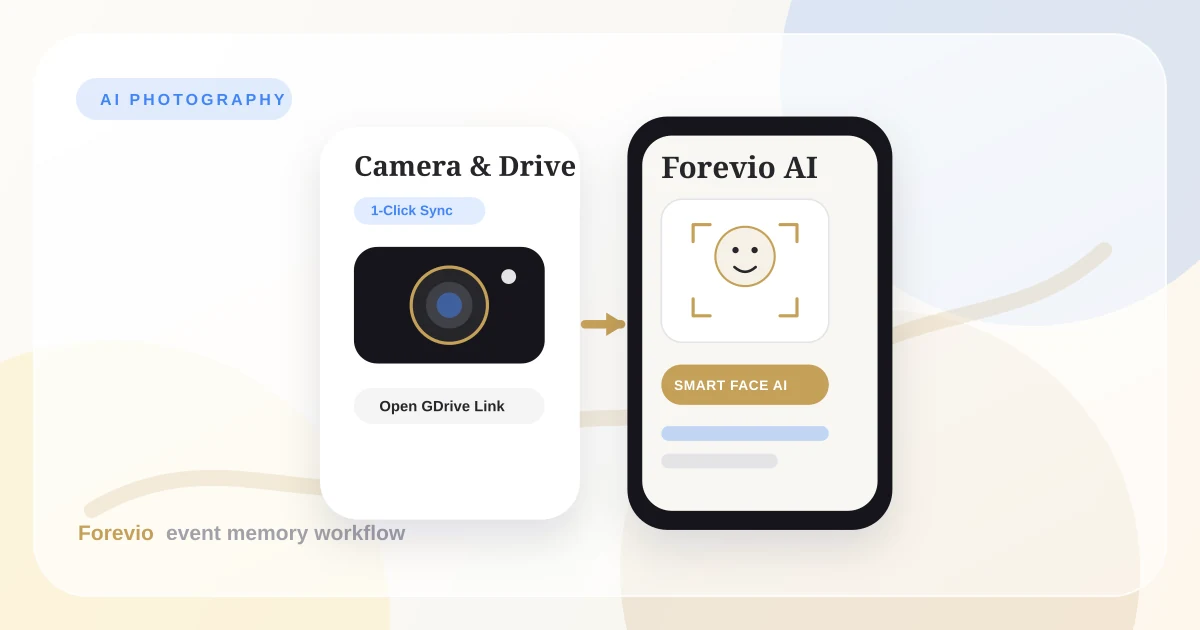
By connecting Google Drive & 1-Tap Google Sign-In with Forevio AI, event photographers can offer clients an interactive, self-sorting gallery. Guests take a quick selfie, and Forevio AI instantly finds every single photo of them—saving you hours of post-event admin work while delighting your clients.
1. Zero-Friction Setup with Google Ecosystem
The biggest reason guest galleries fail is user friction. If guests have to fill out long sign-up forms, remember passwords, or download an app, most people simply won't use it.
1-Tap Google Sign-In
By using Google Single Sign-On, guests and hosts can log in with a single tap in less than two seconds.
- No Passwords: Guests sign in with their existing Google account.
- Works on Any Phone: Opens instantly in any phone browser (Safari, Chrome) via a simple QR code scan.
- Privacy & Safety: Keeps event galleries secure while keeping out spam.
1-Click Open Google Drive Sync
As a photographer, you already use Google Drive or cloud folders to store and back up your client photos. Re-uploading gigabytes of photos to yet another platform takes extra time and Wi-Fi bandwidth.
Forevio makes this effortless by syncing directly from open Google Drive links. Upload your photos to Google Drive using your standard desktop or mobile workflow. Then, simply paste the open Google Drive link into Forevio. With one click, Forevio automatically syncs all your photos into the event album and lets AI start organizing them right away.
2. How Forevio AI Works for Your Events
Here is how your photos travel from your camera lens into personalized guest galleries:
Simple Workflow
From Camera Lens to Personal Guest Galleries
Google Ecosystem Auth
1-Tap Google SSO token verification. Zero password friction for event guests & photographers.
- OAuth 2.0 Identity Token
- Google Drive Direct Authorization
- Ad-Free & Privacy Protected
Open Google Drive Sync
Leverage Google Drive's native uploading power and sync directly to Forevio in a single click.
- Open GDrive Link Integration
- 1-Click Direct Cloud Sync
- EXIF Metadata Preserved
Smart AI Face Sorting
Automatically recognizing and grouping matching faces across all uploaded event photos.
- Smart Face Matching
- Automatic Photo Grouping
- Instant Album Creation
Face-Grouped Galleries
Guests scan their face to instantly uncover every high-res photo they appear in across the event.
- Instant Selfie Face-Search
- Private Curated Albums
- 1-Tap High-Res Download
End-to-End Data Pipeline Architecture
DSLR / Mobile CaptureFace Vector IndexGoogle Drive Storage
1. Capture & Identity
Google SSO maps user identifier. EXIF timestamp and camera specs preserved.
2. Smart Face Sorting
Forevio AI recognizes faces across all uploaded photos and automatically creates guest albums.
3. Multi-Cloud Output
Galleries sync seamlessly to connected Google Drive folders in full native resolution.
4 Simple Steps
- Snap & Scan: You shoot the event while guests scan the event QR code to join in one tap.
- 1-Click Drive Sync: You upload photos to Google Drive; Forevio syncs them to your event album in one click.
- Smart AI Sorting: Forevio AI automatically recognizes faces across all uploaded photos and groups them together.
- Selfie Search & Download: Guests take a quick selfie to see every photo they appear in, ready to download in high resolution.
3. Practical Shooting Tips for Best AI Photo Sorting
Forevio AI is built to recognize faces automatically, but a few simple photography habits on location will make photo recognition almost 100% accurate:
Tip 1: Make Sure Faces Are Reasonably Clear
Forevio AI looks for eyes, nose, and mouth details. If someone's face is tiny in an ultra-wide crowd shot of 100 people, it's harder for the AI to identify them.
- Quick Fix: Whenever you shoot a huge room wide shot, take a few medium group photos as well.
Tip 2: Aim for Natural Angles
AI recognizes faces best when people are facing mostly toward the camera. Extreme side profiles or steep overhead angles make recognition harder.
- Quick Fix: For candid shots, wait until the subject turns slightly toward your direction before clicking.
Tip 3: Soft, Even Lighting Works Best
Harsh overhead sun or dark shadows around eyes can obscure facial features.
- Quick Fix: Use bounce flash or subtle fill light for outdoor or evening receptions to keep facial features evenly lit.
Tip 4: Keep Group Rows Sharp
When shooting group portraits wide open (like f/1.4), people standing in the second row can turn out blurry, making it harder for AI to recognize them.
- Quick Fix: Step down to
f/4orf/5.6for multi-row group shots so everyone's face stays sharp and in focus.
Tip 5: Sync Your Camera Clocks
If you shoot with two camera bodies or work with a second photographer, make sure both camera clocks match the exact time.
- Quick Fix: Synchronized timestamps keep all event photos in perfect chronological order.
4. Why Clients & Photographers Love It
Adding Forevio AI to your photography packages gives you a clear competitive edge:
- Delight Guests Instantly: Guests get instant access to their own photos during or right after the event.
- No More Manual Searching: Clients don't have to spend hours texting you asking "Do you have any photos of Aunt Sarah?"
- Zero Double-Uploads: You keep using your favorite Google Drive workflow while Forevio handles gallery delivery.
Related reading: Event Photo Sharing for Planners, Forevio vs. Google Photos, and Building Forevio in Public.
Quick answers
Frequently asked questions
Why is 1-Tap Google Sign-In critical for event photo collection?
1-Tap Google Sign-In lets guests log in in less than two seconds without passwords or app downloads, making photo sharing frictionless and fun.
How does Forevio AI sort photos automatically?
Forevio AI automatically recognizes faces across all uploaded event photos and groups them into private albums so guests can find their photos instantly with a quick selfie.
What photography habits help AI sort photos most accurately?
Ensure faces are reasonably clear in the frame, avoid extreme side profiles, keep group rows sharp with f/4-f/5.6 aperture, and synchronize multi-camera clocks. Keep the metadata for event photos turned on in the device settings.